Quick Facts
- Primary Purpose: Immediate connection to local emergency services by holding the side button.
- Automatic Detection: Specialized sensors trigger emergency calls if a hard fall or severe car crash is detected while the user is unresponsive.
- Connectivity Needs: Requires cellular service, a paired iPhone nearby, or a known Wi-Fi network with Wi-Fi Calling enabled.
- Hardware Requirements: Satellite features and advanced siren tools are exclusive to Apple Watch Ultra and newer iPhone pairings.
- Health Integration: Medical ID profiles allow first responders to view allergies and medical conditions directly from the watch face.
- Safety Accuracy: Built-in monitors maintain high precision, including heart rate tracking that is accurate to within 5 beats per minute roughly 98% of the time.
Emergency SOS on Apple Watch allows users to quickly call local emergency services by holding the side button. Once triggered, the watch contacts dispatchers and shares your current GPS location. If features like fall detection or crash detection are enabled, the watch can automatically initiate this call if it senses a high-impact event and the wearer remains unresponsive for one minute.
As a preventive care editor, I often talk about health in terms of nutrition, sleep, and exercise. However, true wellness also encompasses security and the peace of mind that comes from knowing you are protected when the unexpected happens. For many of my readers—ranging from solo hikers to those managing elderly care for their parents—the smartwatch health suite has evolved from a simple fitness tracker into a sophisticated personal safety device.
Whether you are out for a late-night run or living alone and want to maintain your independence, understanding how to use the emergency sos apple watch features is a vital component of a modern healthy lifestyle. It is not just about the technology; it is about creating a safety net that works silently in the background of your daily routine.
1. Manual Emergency SOS: Your Immediate Lifeline
The most direct way to access help is through the manual trigger. This feature is designed to be accessible even in high-stress situations where navigating a touch screen might be difficult. To use it, you simply press and hold the side button (the flat button below the Digital Crown).
When you hold this button, a countdown begins and an alert sounds. If you continue holding it until the countdown ends, the watch automatically calls emergency services. Alternatively, you can drag the Emergency SOS slider to initiate the call immediately. This is particularly useful for solo adventurers who might find themselves in a situation where they can move their hands but cannot speak or look at the screen clearly.
One common concern I hear from readers is: apple watch emergency sos keeps going off by accident. This usually happens if the side button is compressed by a tight wristband or during heavy exercise. If you find this happening, you can go into your settings to adjust the trigger. To manage this, look for apple watch emergency sos turn off options in the Watch app on your iPhone, where you can disable the "Hold Side Button to Dial" feature, requiring you to use the slider instead.
For those wondering how does emergency sos work on apple watch in terms of location, the device is quite sophisticated. Once the call ends, your watch sends your emergency contacts a text message with your current GPS positioning, unless you choose to cancel. Your watch also enters a special emergency mode for 30 minutes, providing periodic updates to your contacts if your location changes. This is a critical layer of protection for anyone who might be in a moving vehicle or lost in a large park.
Regarding connectivity, it is important to understand the apple watch emergency sos without cellular limitations. If your watch does not have its own cellular plan, your paired iPhone must be nearby for the call to go through. If your iPhone is not nearby, your watch must be connected to a known Wi-Fi network and you must have Wi-Fi Calling turned on.
2. Fall Detection: Protection for Seniors and Active Users
One of the most praised features in the preventive health community is fall detection. Using advanced accelerometer sensors and gyroscopes, the watch can distinguish between a hard fall and a simple trip or a heavy seat on the couch. This has become a cornerstone of elderly care, allowing seniors to live more independently with the knowledge that help is a minute away.

When the watch detects a hard fall, it follows a strict sequential protocol:
- It taps you on the wrist and sounds an alarm.
- It displays a message asking if you are okay.
- If the watch detects that you have been immobile for about 60 seconds, it starts a 30-second countdown while tapping your wrist.
If you are still unresponsive after the countdown, the watch automatically calls emergency services. This feature is not just for the elderly; it is also a vital apple watch emergency sos fall detection tool for athletes, cyclists, and construction workers.
The precision of these devices is backed by significant data. For instance, a clinical study found that the Apple Watch's atrial fibrillation detection feature has a positive predictive value of 86%, showcasing the reliability of its internal sensors. Furthermore, the apple watch heart rate alerts for seniors are supported by a heart rate monitor that is accurate to within 5 beats per minute approximately 98% of the time when a user is sedentary. This level of accuracy ensures that the watch isn't just guessing about your physical state—it is monitoring it with medical-grade intent.
3. Crash Detection: Advanced Sensors for High-Impact Events
While fall detection focuses on domestic and athletic safety, crash detection is designed for automotive emergencies. This feature is available on Series 8 and later, SE (2nd Generation), and all Ultra models. It uses a combination of the microphone, barometer, and GPS, but the heavy lifting is done by a high-G accelerometer.

This specialized accelerometer is capable of measuring extreme impact forces of up to 256 g-forces, allowing the device to recognize the specific signature of a severe car crash, including front-impact, side-impact, rear-end collisions, and rollovers.
If a crash is detected, the watch will display an alert and start a 20-second countdown. If you are unresponsive, it will call emergency services and provide them with your latitude and longitude coordinates. For those looking to verify their settings, the apple watch crash detection setup guide is simple: it is usually on by default, but you can check it in the SOS section of the Watch app. This feature provides an invaluable layer of impact monitoring for anyone who spends significant time on the road.
4. Satellite Connectivity & Backtrack: Safety Off the Grid
For the true outdoor enthusiast, the traditional cellular-based emergency sos apple watch features might not be enough. If you are hiking in a remote canyon or skiing in the backcountry, you may find yourself without any signal at all. This is where the apple watch ultra emergency sos satellite capabilities become a game-changer.
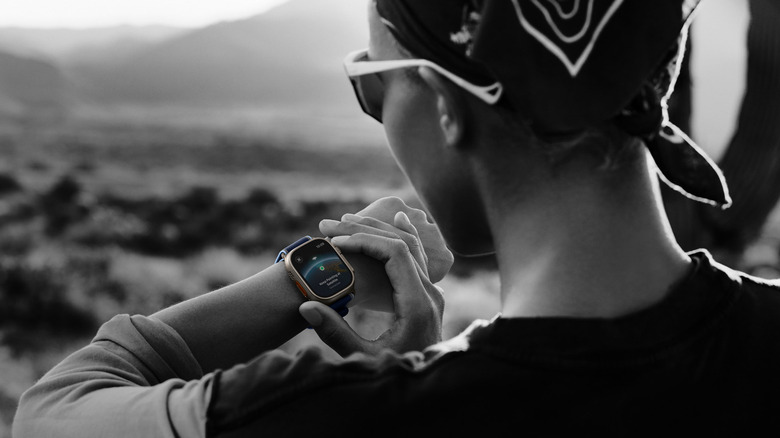
When you are off the grid and have no cellular or Wi-Fi coverage, the watch (when paired with an iPhone 14 or later) can connect to satellites to send emergency messages. The watch will guide you through a short questionnaire to describe your situation and then show you exactly where to point your phone to connect to a satellite.
There are some limitations to keep in mind regarding apple watch-emergency sos without cellular satellite use. Satellite connectivity generally requires a clear view of the sky and may not work under thick forest canopies or in deep canyons. Additionally, satellite services may not be available in latitudes above 62°, such as northern parts of Canada and Alaska.

Alongside satellite SOS, the Backtrack feature in the Compass app is essential for solo adventurers. Backtrack uses GPS positioning to create a digital breadcrumb trail of your route. If you get lost, you can use the watch to retrace your steps exactly as you came. Unlike standard GPS, Backtrack is designed to work in areas without a data connection, making it a cornerstone of off-grid communication and safety.
5. Prerequisite: Setting Up Medical ID for First Responders
All the sensors and satellite connections in the world are only half the battle; the other half is ensuring that first responders have the information they need once they reach you. This is why the Medical ID is perhaps the most important part of how to set up emergency sos on apple watch.
Your Medical ID allows a paramedic or doctor to see your name, age, blood type, allergies, and medications directly from your lock screen without needing your passcode. During an emergency call, your watch can automatically share this Medical ID with dispatchers (in supported regions) to speed up your care.
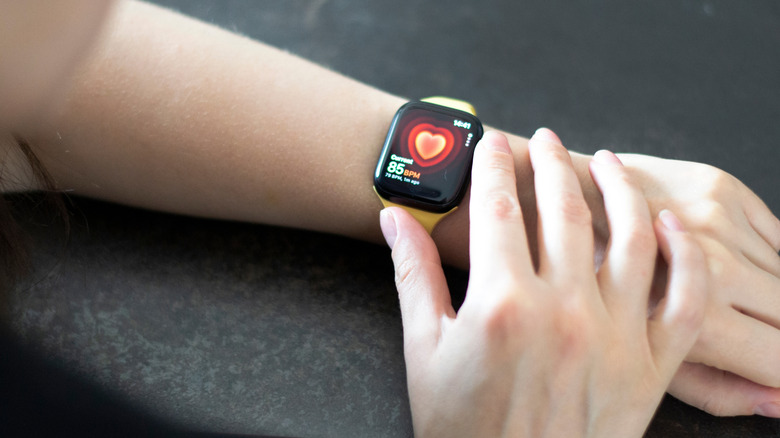
To set this up, go to the Health app on your iPhone, tap your profile picture, and select Medical ID. Ensure that "Show When Locked" and "Share During Emergency Call" are both toggled on. This simple health app integration bridges the gap between digital safety and physical medical intervention.
Hardware Compatibility Table
| Feature | Series 4-7 | Series 8/9/10 | Apple Watch Ultra 1/2 |
|---|---|---|---|
| Manual SOS | Yes | Yes | Yes |
| Fall Detection | Yes | Yes | Yes |
| Crash Detection | No | Yes | Yes |
| 80dB Siren | No | No | Yes |
| Satellite SOS | No* | No* | Yes* |
Note: Satellite SOS requires a paired iPhone 14 or later for Series and Ultra models.
FAQ
What happens if you accidentally call emergency SOS on an Apple Watch?
If the countdown starts by accident, you can release the side button. If the call has already been initiated, do not hang up immediately. Wait until a dispatcher answers and calmly explain that it was an accidental trigger. This prevents them from dispatching emergency services to your location unnecessarily.
What does emergency SOS on Apple Watch do?
It provides a quick way to contact local emergency services. It dials the emergency number for your current location, sends your GPS coordinates to dispatchers, and notifies your pre-set emergency contacts with a text message containing your location.
Which Apple Watch will call 911 if you fall?
Fall detection is available on Apple Watch Series 4 and later, including all Apple Watch SE and Apple Watch Ultra models. It must be enabled in the settings, though it is turned on automatically if you have entered an age of 55 or older when setting up your watch.
Why does my emergency SOS keep going off on my Apple Watch?
This is usually due to the side button being held down accidentally, often by a wrist guard, a tight sleeve, or the back of your hand during activities like yoga or weightlifting. You can prevent this by changing the orientation of the watch or disabling the "Hold Side Button to Dial" setting in the Watch app.
What triggers emergency SOS on Apple Watch?
It can be triggered manually by holding the side button or automatically by the device's sensors. High-impact events like a severe car crash or a hard fall followed by a minute of immobility will also trigger an automated emergency call.
Practice Makes Prepared
Safety is not just a feature; it is a habit. I encourage all my readers to take five minutes today to open the Watch app and review their settings. You can even run a built-in SOS Demo Mode on newer models to see exactly what the screen looks like without actually calling 911.
By taking these small steps now, you are investing in your long-term wellness and ensuring that your technology is working as hard as you are to keep your life balanced, healthy, and safe. Knowledge is the ultimate preventive care tool—once you know how these features work, you can move through the world with total peace of mind.