Whether you’re anchoring a high-speed home network in a remote mountain cabin or powering up a campsite from the back of a converted van, choosing the right router is the final, critical piece of the Starlink puzzle. As the satellite constellation grows, so does the hardware ecosystem, leaving many users torn between the flagship Starlink Gen 3 Router and the ultra-portable Starlink Router Mini.
The fundamental choice comes down to a trade-off between raw power and nimble portability. The Gen 3 Router is a tri-band Wi-Fi 6 powerhouse designed to cover up to 3,200 square feet and manage over 200 devices simultaneously. In contrast, the Router Mini is a compact, dual-band solution built for efficiency, covering 1,250 square feet with a focus on low power draw and physical flexibility. If you are building a permanent mesh network for a large family home, the Gen 3 is your anchor. If you’re a digital nomad looking for the most efficient way to expand coverage to a patio or a small RV, the Mini is a disruptor that’s hard to ignore.

Direct Comparison: Specifications at a Glance
A look under the hood reveals that while both devices share the Starlink DNA, their internal architectures are optimized for vastly different use cases. The Gen 3 is about maximizing throughput across multiple floors, while the Mini is about maximizing connectivity per square inch.
| Feature | Starlink Gen 3 Router | Starlink Router Mini |
|---|---|---|
| Wi-Fi Generation | Wi-Fi 6 (802.11ax) | Wi-Fi 6 (802.11ax) |
| Radio Bands | Tri-band (2.4GHz, 5GHz - 1, 5GHz - 2) | Dual-band (2.4GHz, 5GHz) |
| MIMO Support | 4x4 MU-MIMO | 2x2 MU-MIMO |
| Coverage Area | 3,200 sq ft | 1,250 sq ft |
| Device Capacity | Up to 235 devices | Up to 128 devices |
| Ethernet Ports | 2x Locking LAN ports | 1x Locking LAN port |
| Power Consumption | 75W - 100W (Total system draw) | ~20W (Standalone) |
| Retail Price | $80 | $40 |
The most striking takeaway from the raw data is the coverage discrepancy. The Starlink Gen 3 Router provides 156% more coverage area than the Router Mini. However, performance is one thing, but physical footprint dictates where these units can actually go.
Winner: Starlink Gen 3 (For Performance) | Winner: Router Mini (For Value)
Wi-Fi Capabilities and Range: Coverage Deep Dive
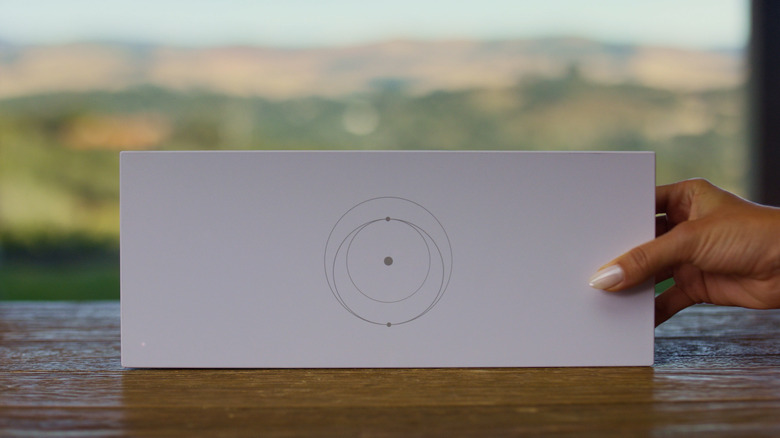
When we talk about "Tri-band" versus "Dual-band," we aren't just splitting hairs over technical jargon; we are talking about how your Netflix stream survives while someone else is gaming in the next room. The Gen 3 Router’s tri-band configuration is its "secret sauce." By offering two separate 5GHz bands, it can dedicate one for high-speed device traffic and another for mesh backhaul (the communication between routers). This ensures that even in a large, multi-story home, your speeds don't drop by half every time you add a mesh node.
The Gen 3's 4x4 MU-MIMO (Multiple Input, Multiple Output) technology allows it to talk to four devices simultaneously on a single frequency. This is why it handles a staggering 235 devices without breaking a sweat. If your home is filled with smart bulbs, security cameras, and multiple 4K TVs, the Gen 3 is non-negotiable.
The Router Mini, on the other hand, utilizes a more modest dual-band 2x2 MU-MIMO setup. While it supports the modern Wi-Fi 6 standard—ensuring better efficiency and security than older Wi-Fi 5 models—it is physically limited by its smaller antennas. Covering 1,250 square feet, it is perfectly suited for a studio apartment, a workshop, or as a "bridge" to bring internet to a guest suite. However, users should be aware of "barriers." While the Gen 3 can punch through drywall and timber with relative ease, the Mini’s signal is more susceptible to degradation through thick brick or concrete walls.
Expert Tip: If you are using the Mini as a mesh node, try to maintain a clear line of sight to the primary router. Because it lacks the third band for dedicated backhaul, any physical interference will significantly impact the speeds of devices connected to the Mini.
Winner: Starlink Gen 3
Physical Design and Portability
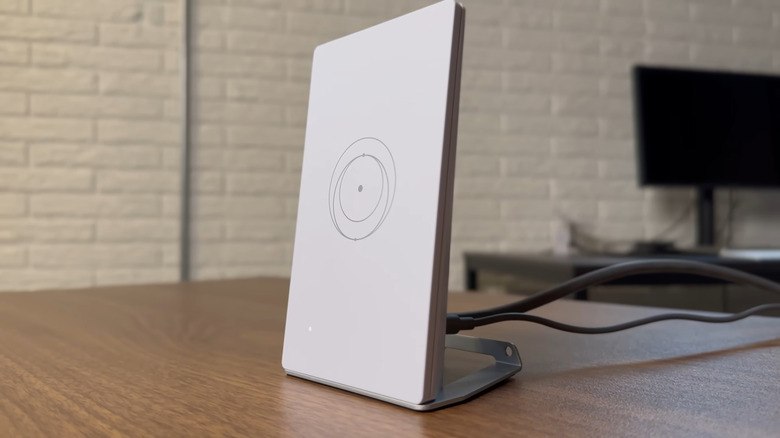
Performance is one thing, but the physical reality of these devices tells a story of "Horizontal Powerhouse" versus "Smartphone-Sized Maverick." The Gen 3 Router is a substantial piece of hardware, spanning nearly 11.8 inches. It is designed to sit flat or be wall-mounted in a central location. It feels like a piece of infrastructure—sturdy, sleek, and meant to stay put.
In contrast, the Router Mini is roughly the size of a large smartphone or a thick external hard drive. It is the definition of "toss-it-in-the-bag" tech. This compact nature makes it the ideal companion for the Starlink Mini dish or for users who need to expand their network temporarily without cluttering their living space.
The port configuration also reflects these different philosophies:
- Gen 3 Router: Features two recessed, locking Ethernet LAN ports. This allows you to hardwire a gaming console and a desktop PC directly to the source, ensuring zero-latency connections.
- Router Mini: Features a single locking Ethernet port. It’s enough to daisy-chain another mesh node or connect one high-priority device, but it lacks the "hub" versatility of its larger sibling.
Winner: Starlink Router Mini
Power Consumption and Off-Grid Flexibility
For the burgeoning community of van-lifers and overland explorers, power consumption isn't just a metric—it’s a lifeline. This is where the Router Mini truly shines as the "12V-48V King."
A standard Gen 3 setup, including the dish, typically draws between 75W and 100W. For someone running on a limited solar battery bank, that's a significant drain. The Router Mini, when used as a standalone node or part of a Mini-dish setup, is incredibly efficient, drawing only about 20W.
Furthermore, the Mini is much more forgiving with power sources. While the Gen 3 requires a more robust AC power solution (or a complex DC-to-DC conversion kit), the Mini can often be powered via high-output USB-C power banks or simple vehicle battery taps. This makes it the go-to choice for anyone who needs to stay connected while miles away from the nearest power grid.
Winner: Starlink Router Mini
Pricing and Value: Building Your Mesh Network
When it comes to the bottom line, the pricing gap is significant enough to change how you design your entire network. The Starlink Gen 3 Router retails at $80, whereas the Router Mini is priced at a highly competitive $40.
The Starlink Router Mini is 50% more affordable than the Gen 3 Router, making it a remarkably cost-effective solution for expanding mesh networks. For the price of one Gen 3 unit, you could theoretically purchase two Mini routers, potentially covering more specific "dead zones" in a sprawling property, provided you don't need the high-density device support of the flagship model.
Currently, both units are seeing wide availability across the US, Australia, and parts of Europe. However, because the Mini is often bundled with the Starlink Mini dish, standalone availability can sometimes fluctuate. If you see it in the Starlink shop for $40, it represents some of the best value-for-money in the entire satellite hardware market.
View Gen 3 Specs on Starlink →
Winner: Starlink Router Mini
Which One Should You Choose?
The decision shouldn't be based on which router is "better," but rather which one fits the geometry and demands of your life.
Scenario A: The High-Demand Residential Anchor
If you live in a multi-story home, have a family of four all streaming 4K content, or work in a profession that requires a rock-solid, low-latency hardwired connection, the Starlink Gen 3 Router is the only choice. Its 3,200 square feet of coverage and tri-band management ensure that your satellite speeds aren't throttled by weak local Wi-Fi. It is a "set it and forget it" solution for modern households.
Scenario B: The Nomad and the Budget Builder
If your "office" is a 1985 Westfalia or a remote cabin with limited power, the Router Mini is your best friend. Similarly, if you already have a Gen 3 system but just need to get Wi-Fi out to a detached garage or a patio, the Mini's $40 price point makes it an unbeatable mesh expansion node. It’s portable, efficient, and surprisingly capable for its size.
FAQ
Can I mix and match Gen 3 and Mini routers in a mesh network? Yes. Starlink's ecosystem allows you to use a Gen 3 Router as your primary gateway and add Router Minis as mesh nodes to extend coverage. This is often the most cost-effective way to cover a large property.
Does the Router Mini support Wi-Fi 6? Yes, both the Gen 3 and the Mini are Wi-Fi 6 (802.11ax) compatible, which provides better security, lower latency, and improved battery life for connected mobile devices compared to older Wi-Fi 5 standards.
Do I need an adapter for Ethernet on these routers? Unlike the older Gen 2 (Actuated) router, both the Gen 3 and the Mini feature built-in Ethernet ports. The Gen 3 has two, while the Mini has one. However, they use a specific locking plug design for weatherproofing; if you want to use standard RJ45 cables, you may need to ensure the Starlink cable is properly seated or use the Starlink-specific waterproof cables.
Take the Next Step
Ready to optimize your Starlink setup? Whether you need the raw power of the Gen 3 or the compact efficiency of the Mini, ensuring your router matches your environment is the key to unlocking the full potential of satellite internet.