Quick Facts
- Price: Approximately $9.00 for a best cheap ir extender for amazon
- Range: Operational range extended up to 49 feet
- Angle: Signal transmission angle increased up to 45 degrees
- Power: Standard USB 5V (No batteries required)
- Compatibility: Works only with devices using an Infrared sensor (Incompatible with Bluetooth or RF)
- Installation: Simple plug-and-play setup with no programming needed
An ir extender is a compact, budget-friendly device designed to capture infrared signals from your remote control and relay them directly to your television or cable box. This gadget is particularly effective for fixing weak signals caused by long distances or physical obstructions, allowing you to maintain a clear Line of sight between your remote and the receiver eye even when your hardware is hidden.
What is an IR Extender Cable and How Does It Work?
If you have ever found yourself waving your remote in the air or standing up just to change the channel, you are dealing with the inherent limitations of infrared light. To understand how to solve this, we first need to define what is an ir extender cable and how its components interact with your home theater setup.
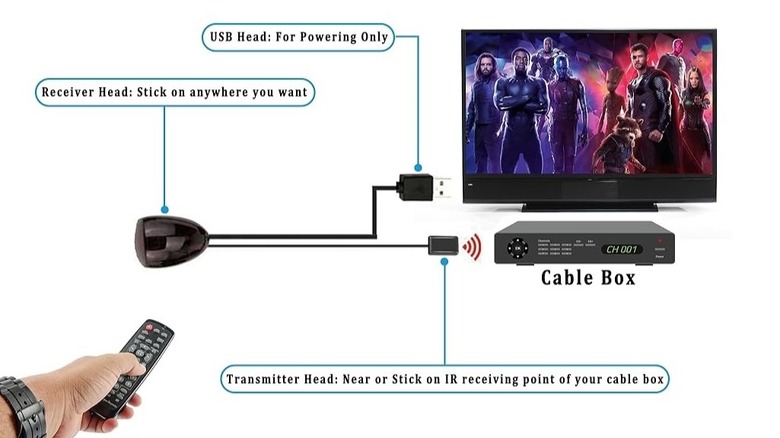
A standard ir extender for tv remote usually consists of three main parts connected by a single cable. First, there is the IR receiver eye, a small sensor that you place in a visible location. This eye is the "ear" of the system; it listens for the specific pulses of light emitted by your remote. Second, there is the USB connector, which makes it a USB-powered device that draws a tiny amount of electricity from your TV or a wall adapter. Finally, there is the IR blaster, also known as an Infrared emitter, which sits at the other end of the cable.
When you press a button on your remote, the signal is caught by the receiver eye. That signal travels through the wire to the emitter, which then flashes that same signal directly onto the sensor of your target device. Most systems use a 3.5mm jack or a hardwired hub to manage these connections. This relay system effectively allows the remote signal to "turn a corner" or pass through solid wood, which would otherwise block the light.
Compatibility Check: IR vs. RF vs. Bluetooth
Before spending even $9, you must ensure your equipment is compatible. Not all remotes are created equal, and an ir extender for cable box will only work if the system uses light-based communication. Modern entertainment setups often use a mix of Infrared sensor technology, Radio Frequency (RF), and Bluetooth.
The Digital Camera Trick
The easiest way to determine how to tell if tv remote uses ir or rf is to use your smartphone camera. Infrared light is invisible to the human eye, but digital sensors can pick it up. Simply point your remote at your phone’s camera lens and press any button while looking at the phone screen. If you see a flickering purple or white light coming from the tip of the remote, it is an IR remote. If you see nothing, it likely uses Bluetooth or RF.
What It Won't Control
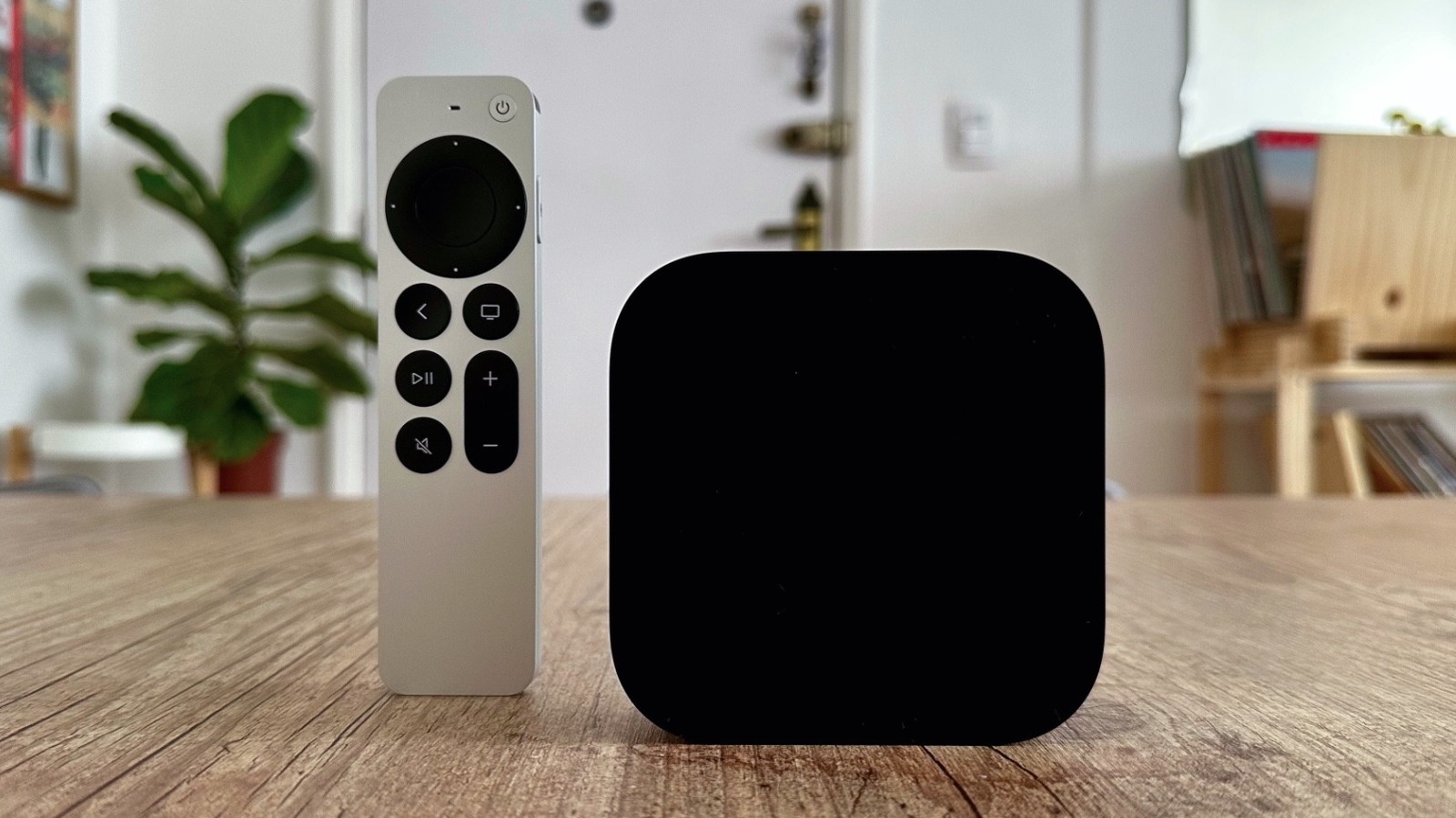
It is important to note that an ir extender is not a universal solution for every wireless gadget. Devices like the Amazon Fire TV Stick or newer Apple TV remotes primarily use Bluetooth, which does not require a line of sight and operates on a completely different frequency. Similarly, some high-end satellite remotes use RF signals to work through walls. Because an ir extender only relays light pulses, it cannot amplify or repeat Bluetooth or RF signals. However, for the vast majority of standard TVs, older cable boxes, and Blu-ray players, the IR technology remains the industry standard.
Why This $9 Gadget is a Game-Changer for Cabinets
The modern aesthetic for a home theater setup often involves minimalist floating shelves or sleek, closed media cabinets. While this looks great, it creates a functional nightmare. Standard infrared television remotes typically have a limited reliable reception range of approximately 20 feet at a 90-degree aperture. More importantly, infrared signals are blocked by solid materials such as wood and even some types of tinted glass.
By installing a hidden ir repeater system for cabinets, you can keep your expensive, bulky hardware completely out of sight without sacrificing control. The 49-foot range provided by a budget repeater is a massive upgrade over the standard 20-foot limit. This means you can sit at the far end of a large living room or even in an adjacent open-plan kitchen and still have perfect control over your media.
Furthermore, the transmission angle is a frequently overlooked benefit. Most cheap remotes require you to point them precisely at the TV. Adding an ir extender for tv increases the acceptable signal angle to 45 degrees, meaning you can be much more casual with where you point the remote. It turns a frustratingly precise task into a seamless experience.
Step-by-Step: IR Extender Cable How to Use
Setting up your new ir extender kit with usb power is a DIY task that takes less than five minutes. You do not need any tools other than perhaps a bit of clear tape or the adhesive pads usually included in the box. Here is a quick guide on ir extender cable how to use for the best results.
First, identify your power source. Most people plug the USB end directly into the service port on the back of their television. This is convenient because the extender will power on and off with your TV. If your TV lacks a USB port, any standard 5V phone charger brick plugged into a wall outlet will work perfectly.
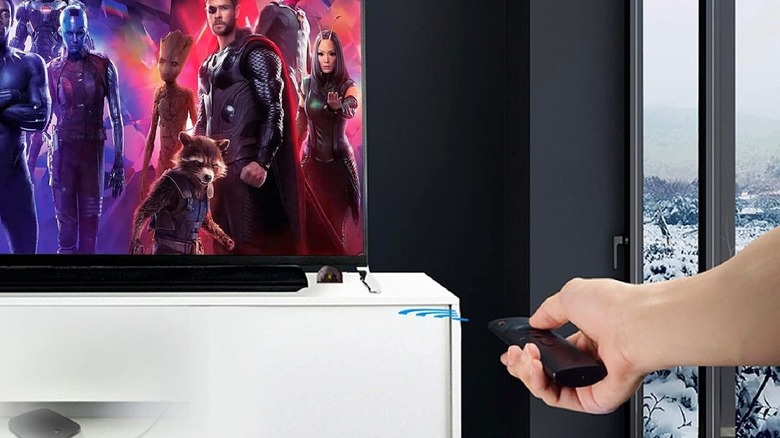
Next, place the IR receiver eye. This needs to be in a spot where it can "see" you. Common locations include the bottom corner of the TV frame, the top of a soundbar, or even tucked slightly under the edge of a shelf. Ensure it is not blocked by decorations or speakers.
Finally, locate the sensor on your AV components. This can sometimes be tricky as the sensor is often hidden behind the dark plastic faceplate of your cable box or player. A quick tip is to shine a flashlight against the front of the device to reveal the small circular or rectangular sensor behind the plastic. Peel the adhesive backing off the IR blaster and stick it directly over that sensor. Once everything is plugged in, your remote signals will now bypass the cabinet doors and reach the hardware directly.
Common Pitfalls and Troubleshooting
While these devices are incredibly reliable, you might occasionally find yourself wondering: why is my IR extender not working? Before you assume the unit is defective, check these common issues.
- Port Confusion: Ensure you haven't plugged the IR blaster into a headphone jack or a different 3.5mm port on the back of your device. The blaster is a transmitter, not a data plug.
- Signal Obstruction: If the receiver eye is too close to a plasma TV or certain types of bright LED lighting, electronic noise can interfere with the signal. Try moving the eye a few inches away from other electronics.
- Incorrect Blaster Placement: The Infrared emitter must be placed directly over the sensor of the device you want to control. If it is even an inch off to the side, the signal might not be strong enough to register.
- Power Issues: Some TV USB ports are for "service only" and do not provide steady power. If the light on your ir extender does not blink when you press a remote button, try using a wall outlet instead.
Using an ir extender for tv remote is one of those rare "set it and forget it" solutions. For the price of a fancy coffee, you can effectively modernize an aging home theater setup and eliminate the daily frustration of a weak remote signal.
FAQ
What is an IR extender for?
An IR extender is used to relay remote control signals to devices that are either too far away or hidden behind obstacles like cabinet doors. It allows you to control your electronics without needing a direct path between the remote and the device.
How to use an IR extender?
To use an IR extender, you plug the USB end into a power source, place the receiver eye where your remote can see it, and stick the small emitter bulb directly over the sensor of the device you want to control.
What is an IR extender?
An IR extender is a cable-based system that acts as a middleman for infrared light. It catches the signal from your remote at one end and repeats it at the other end, effectively extending the reach and flexibility of your remote control.
Where to plug in IR extender?
You plug the USB portion into any 5V power source, such as a TV's USB port or a wall adapter. The IR blaster end is placed on the front of the component you want to control, while the receiver eye is placed in view of the user.
Why is my IR extender not working?
The most common reasons include the blaster not being aligned with the device's sensor, the USB port not providing enough power, or the remote using Bluetooth/RF instead of infrared technology. Interference from very bright lights or plasma screens can also sometimes cause issues.
What problems can IR extenders solve?
They solve the problem of "Line of Sight" limitations, allowing you to hide messy wires and boxes in cabinets. They also fix weak signal issues caused by distance or poor transmission angles from cheap factory remotes.