For years, I was a self-proclaimed "sleep minimalist." I operated under the delusion that as long as I hit seven hours of shut-eye, I was doing fine. I ignored the mid-afternoon slumps and the creeping brain fog, attributing them to the "grind" of modern life. Then, I strapped on a Whoop 4.0. At first, I felt a bit ridiculous—wearing a screenless strap that didn't even tell the time felt like a step backward in the age of smartwatches. But within two weeks, this little device told me I was coming down with a respiratory infection before I had even cleared my throat. It didn't just track my sleep; it decoded my biology.
The modern sleep crisis isn't about how long we spend in bed; it’s about the restorative quality of that time. While most trackers treat sleep like a passive activity, Whoop 4.0 treats it as the ultimate recovery tool. In this guide, we’ll explore how to move beyond the "8-hour myth" and use Whoop's data-driven insights to master your nightly rest.
How Whoop 4.0 Tracks Your Sleep
Understanding the "how" behind the data is the first step toward optimization. Unlike basic trackers that rely solely on movement, Whoop 4.0 uses a sophisticated array of sensors—including green, red, and infrared LEDs—to monitor your physiological state 100 times per second.
How does Whoop 4.0 track sleep? Whoop 4.0 monitors four distinct sleep stages—Slow Wave Sleep (SWS), REM, Light, and Awake—using heart rate variability (HRV) and respiratory rate to provide a comprehensive recovery score each morning. It uses these metrics to determine not just how long you slept, but how much "repair" your body actually accomplished.
The device categorizes your night into four essential stages:
- Slow Wave Sleep (SWS): Also known as Deep Sleep. This is when your body physically repairs itself, releasing growth hormones and repairing tissues.
- REM Sleep: This is the "mental" sleep where dreaming occurs and your brain processes emotions and consolidates memories.
- Light Sleep: A transitional stage that serves as a bridge between deep sleep and wakefulness; while less restorative, it still accounts for a significant portion of your night.
- Awake: Time spent tossing and turning or during brief "micro-awakenings" you might not even remember.
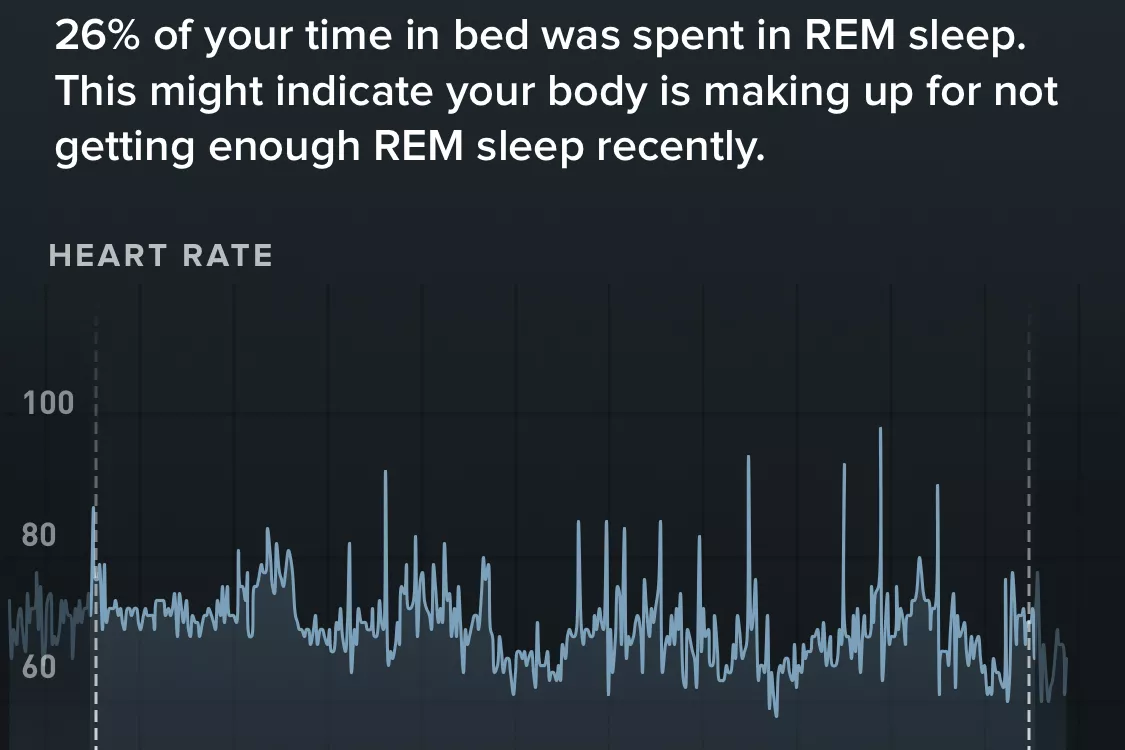
Beyond the stages, Whoop tracks your Respiratory Rate (breaths per minute) and Skin Temperature. These are "canary in the coal mine" metrics. A sudden spike in respiratory rate is often the first physiological sign of illness or significant overtraining.
Mastering the New Sleep Performance Score
Whoop recently refined its scoring system to move away from simple duration and toward "Sleep Performance." This is a percentage based on how much sleep you actually achieved compared to your Sleep Need.
To truly master your rest, you need to look at the four key contributors to this score:
- Hours vs. Needed: The raw volume of sleep.
- Sleep Consistency: This is the "Holy Grail" of circadian health. Going to bed and waking up at the same time every day (even on weekends) stabilizes your internal clock.
- Sleep Efficiency: The percentage of time you were actually asleep while in bed.
- Sleep Stress: A newer metric that tracks how much physiological stress your body experienced during the night, often influenced by late-night meals or room temperature.
By focusing on Consistency over Quantity, you allow your body to anticipate sleep, making it easier to fall into those highly restorative SWS and REM stages quickly.
Calculating Your 'Sleep Need'
One of the most frequent questions I get as an editor is: "How much sleep do I really need?" The answer is never a flat number. Your sleep need is dynamic, fluctuating based on what you did during the day.
How do you optimize sleep with Whoop? To optimize sleep, Whoop calculates your 'Sleep Need' based on your daily activity strain, accumulated sleep debt, and recent naps, then provides coaching on the ideal time to go to bed through its "Sleep Coach" feature.
During your first 30 days, Whoop undergoes a calibration phase to learn your baseline. After that, it calculates your nightly need based on:
- Daily Strain: Did you run a marathon or sit in back-to-back stressful meetings? Both increase your need for recovery.
- Sleep Debt: If you needed 8 hours last night but only got 6, you now have 2 hours of "debt" that Whoop will add to tonight’s requirement.
- Naps: Whoop intelligently subtracts any daytime rest from your nightly total.
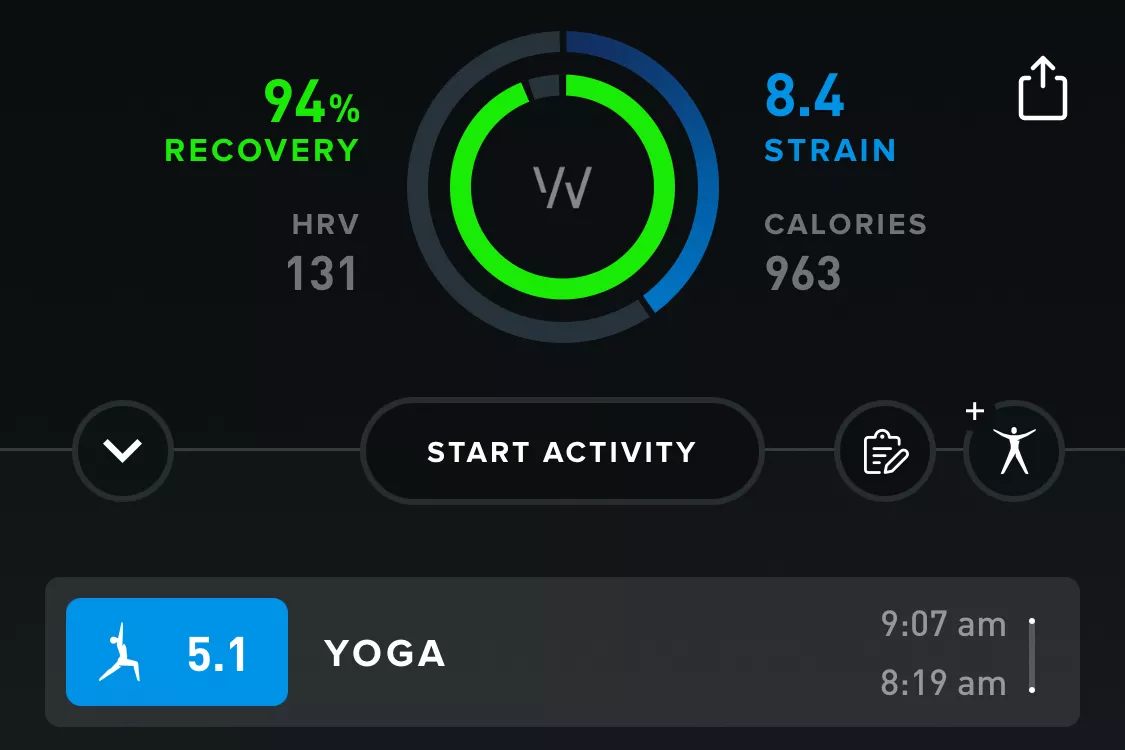
The Sleep Coach is the actionable heart of the app. It allows you to set a goal for the next day—"Get By," "Perform," or "Peak"—and tells you exactly when you should head to bed to reach that goal. For someone focusing on long-term wellness, aiming for "Perform" most nights is the sustainable sweet spot.
The Whoop Journal: Identifying Your Sleep Saboteurs
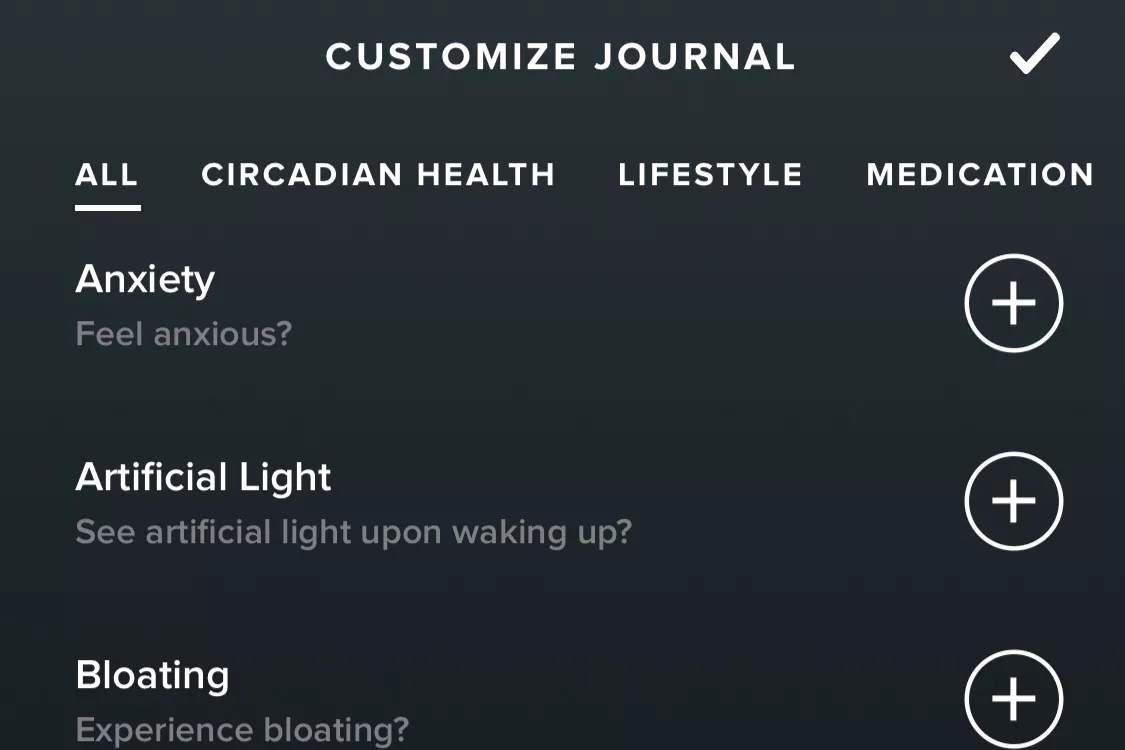
Data without context is just noise. This is where the Whoop Journal comes in. Every morning, Whoop asks you a series of customizable questions about your behavior the day before. Over time, it uses "Actionable Insights" to tell you exactly how these habits affect your recovery.
Common saboteurs tracked in the journal include:
- Alcohol Consumption: Even one glass of wine can tank your HRV and increase your resting heart rate, leading to a "Red" recovery.
- Caffeine Timing: Tracking when you had your last cup of coffee helps you see if that 4 PM espresso is cutting into your Deep Sleep.
- Late-Night Screens: Blue light exposure and its impact on melatonin production.
- Magnesium or Supplements: Seeing the data-backed proof that a supplement actually improves your sleep quality is a powerful motivator.
One of the most profound benefits I’ve found is identifying "delayed recovery." Sometimes, a high-intensity workout on Tuesday doesn't show its full impact until Thursday. Whoop helps you see these 48-hour cycles, allowing you to adjust your routine before you hit a wall of burnout.
Comparison: Whoop 4.0 vs. Oura Ring and Apple Watch
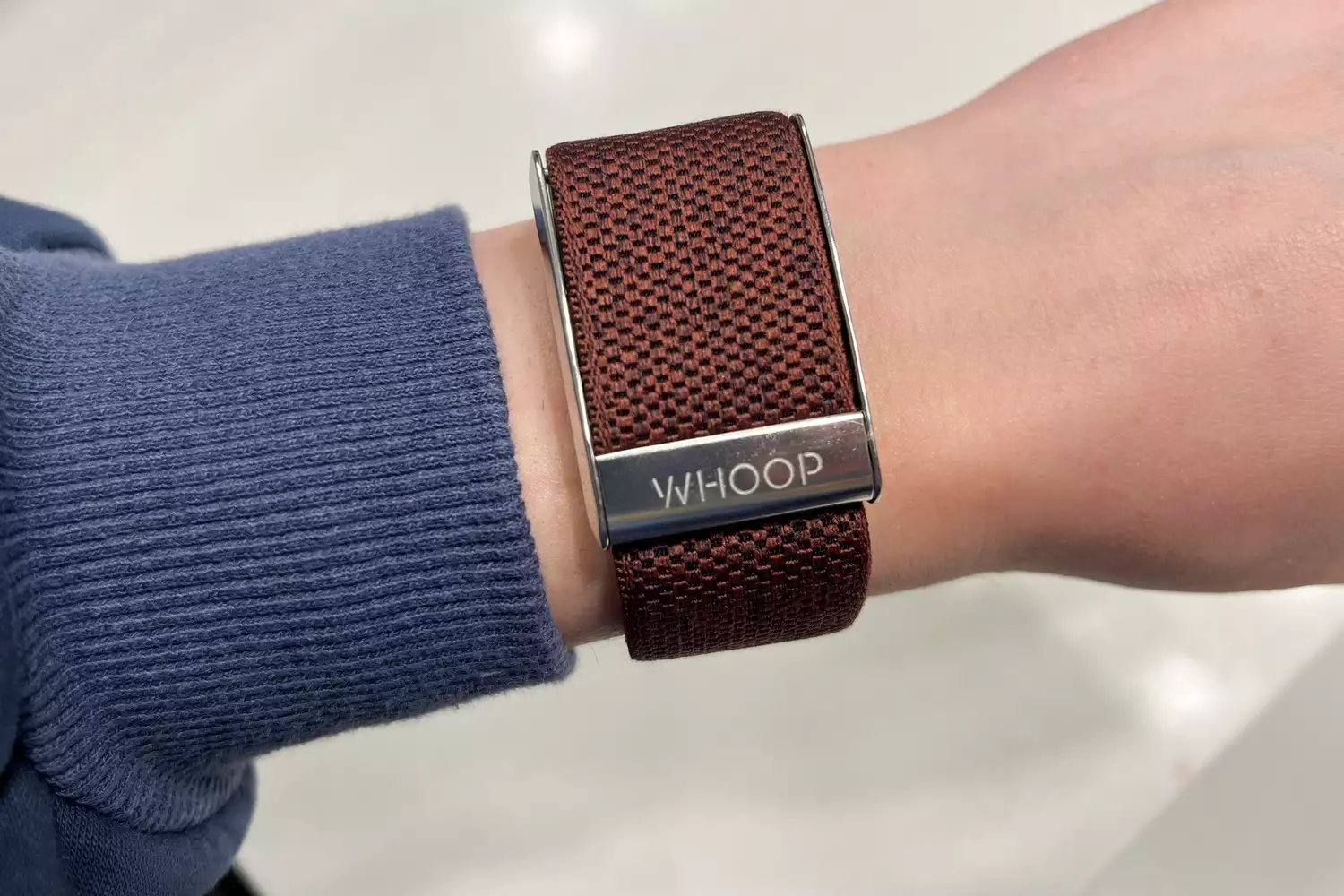
When choosing a wearable for sleep, the philosophy of the device matters as much as the sensors. Whoop is fundamentally different because it is "distraction-free." There are no notifications, no pings, and no screen to glow in your face at 2 AM.
While the Whoop 4.0 achieved a 4.8/5 score for detailed fitness and recovery insights in recent industry testing, it’s important to note what it doesn't do. Does Whoop 4.0 track steps? No. Whoop is designed for athletes and wellness enthusiasts focusing on strain and recovery; it lacks a step counter, a feature found in over 90% of its primary market competitors.
| Feature | Whoop 4.0 | Oura Ring Gen 3 | Apple Watch Series 9 |
|---|---|---|---|
| Design | Screen-free strap | Titanium Ring | Smartwatch |
| Battery Life | 5 Days | 4-7 Days | 18-36 Hours |
| Step Tracking | No | Yes | Yes |
| Charging | On-the-go battery pack | Charging dock | Magnetic cable |
| Primary Metric | Strain & Recovery | Readiness & Sleep | Activity & Connectivity |
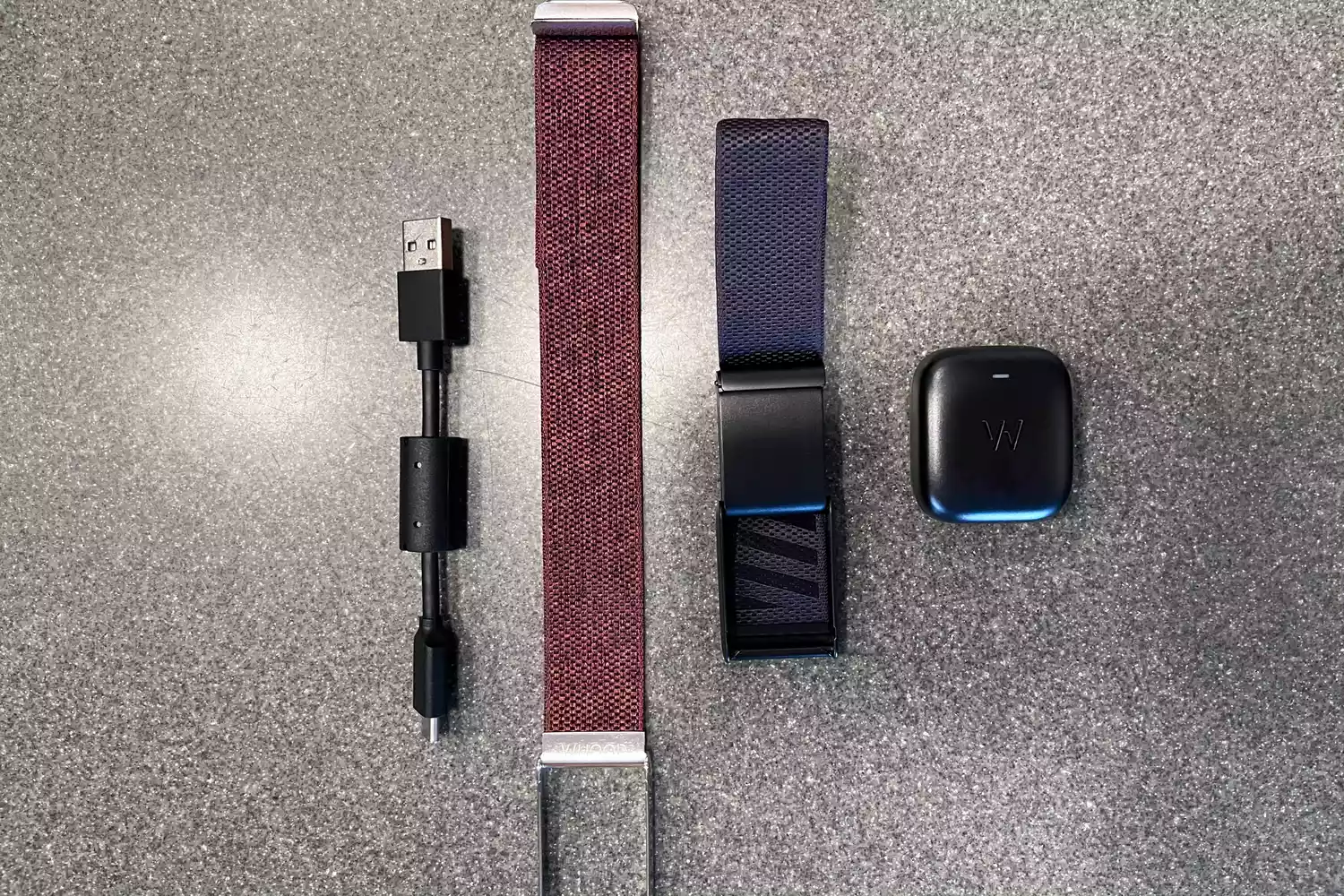
While the Whoop 4.0 offers a 5-day battery life—which is 50% shorter than the 10-day capacity of the Fitbit Inspire 3—it is 25% longer than most high-end smartwatches. The unique "slide-on" battery pack means you never actually have to take the device off your wrist, ensuring there are no gaps in your data.
Is it Worth it? Understanding the Subscription Model
Unlike the Apple Watch or Garmin, where you pay for the hardware upfront, Whoop operates on a membership model. You aren't just buying a sensor; you are paying for entry into a high-performance ecosystem.
The membership typically starts at around $30/month with a minimum commitment, or you can pay for 12- or 24-month packages upfront (ranging from $300-$480). For this price, you get the sensor for free, continuous app updates, and monthly performance reports.
Who is it for?
- The Biohacker: If you love tweaking variables (diet, light, temperature) and seeing the immediate physiological result.
- The High-Performer: Athletes or professionals who need to know when to push and when to pull back.
- The Sleep-Deprived: Anyone looking to fix their relationship with rest through objective data rather than guesswork.
If you are a casual user who just wants to see how many steps you took on your lunch break, the Whoop will likely frustrate you. But if you view your body as a high-performance machine that requires precision tuning, the subscription is an investment in your long-term health.
Conclusion
Mastering your nightly rest isn't about achieving a "perfect" score every morning—it’s about understanding the "why" behind your fatigue. The Whoop 4.0 takes the guesswork out of preventive care by highlighting the connection between your daily habits and your nightly recovery. By leaning into metrics like Sleep Consistency and HRV, you stop guessing and start knowing what your body needs to thrive.
FAQ
Q: Do I have to wear Whoop on my wrist for sleep tracking? A: No. While the wrist is standard, Whoop offers "Whoop Body" apparel (like underwear or armbands) with built-in pods that allow you to wear the sensor elsewhere if you find wrist straps uncomfortable for sleeping.
Q: How does Whoop know I’m asleep if it doesn't have a screen? A: Whoop uses a combination of heart rate, heart rate variability, and accelerometer data to detect the physiological shift from wakefulness to sleep. It is remarkably accurate at detecting the exact minute you fall asleep.
Q: Can Whoop detect sleep apnea? A: Whoop is not a medical device. However, it does track blood oxygen levels (SpO2) and respiratory rate. Significant deviations in these metrics might be something you’d want to discuss with a healthcare professional.
Ready to take control of your recovery?